


Announcement (English)

- Consulado/Vistos
- Announcement (English)
- Font Size
-


Notice [VISA] How to fill out the Visa Application Form
- DATE
- 2025-02-13
※ If you have any questions about using the Visa portal or system errors, etc. Please contact Korea immigration office.
(Tel: +82-1345 / +82-2-6908-1345~6)
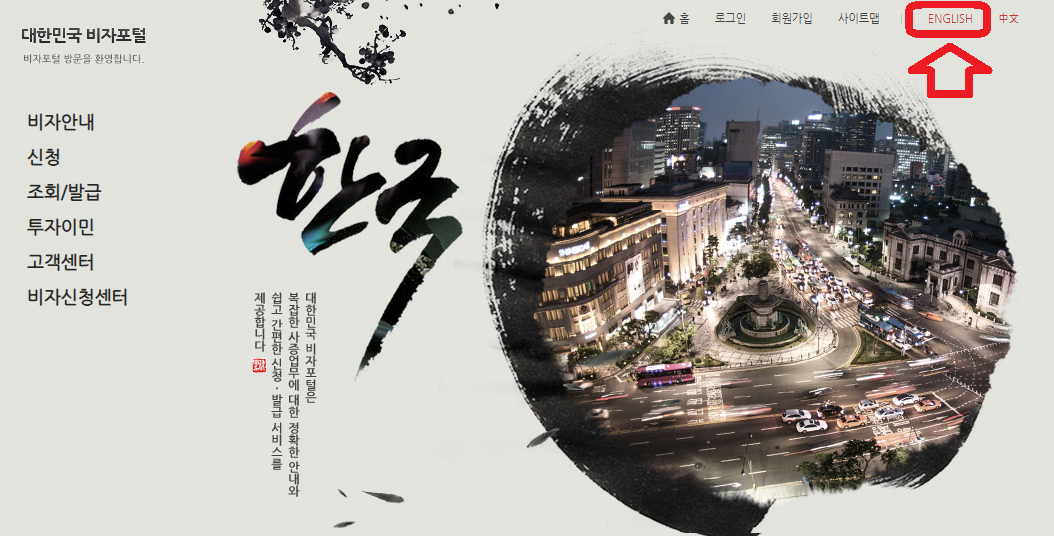
1. Go to Visa Portal site (http://visa.go.kr/) and change the language to English
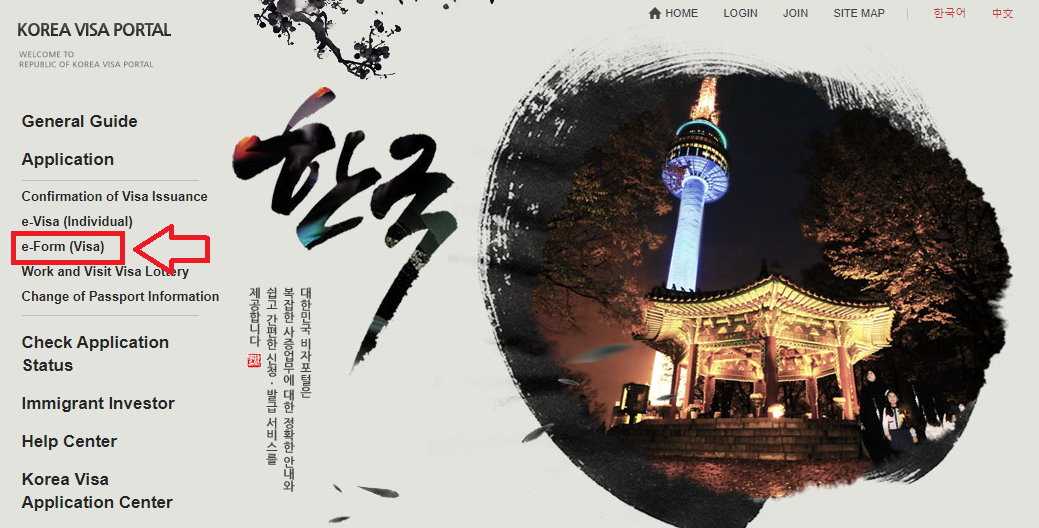
2. Click [Application] - [e-form (Visa)] on the left side of the main page
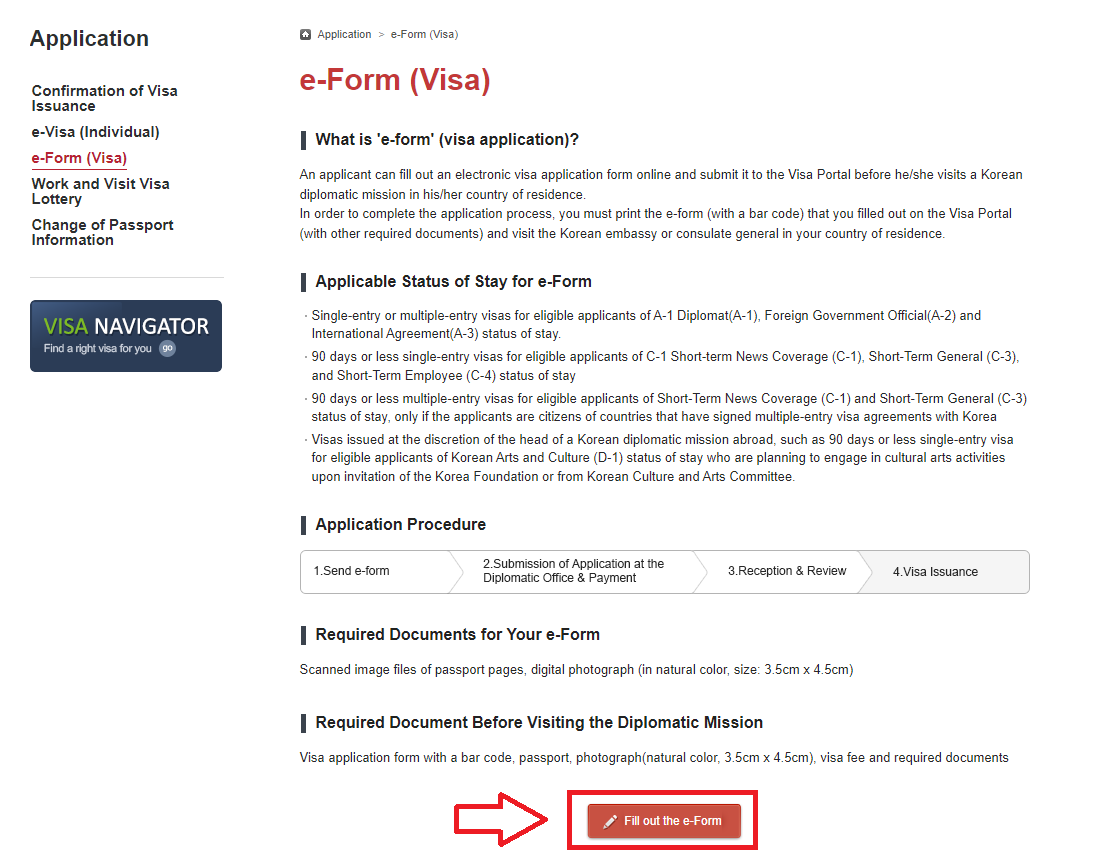
3. When a new page opens, click the Red [Fill out the e-form] button
4. Click [magnifying glass] button
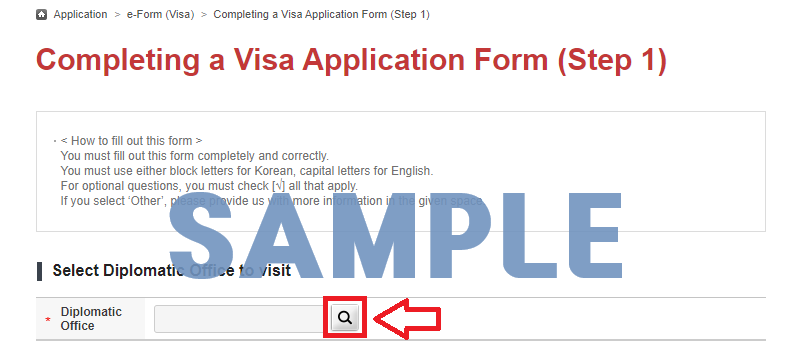
5. Search [Mozambique] and Select Diplomatic Office as [Korean Embassy in Mozambique]
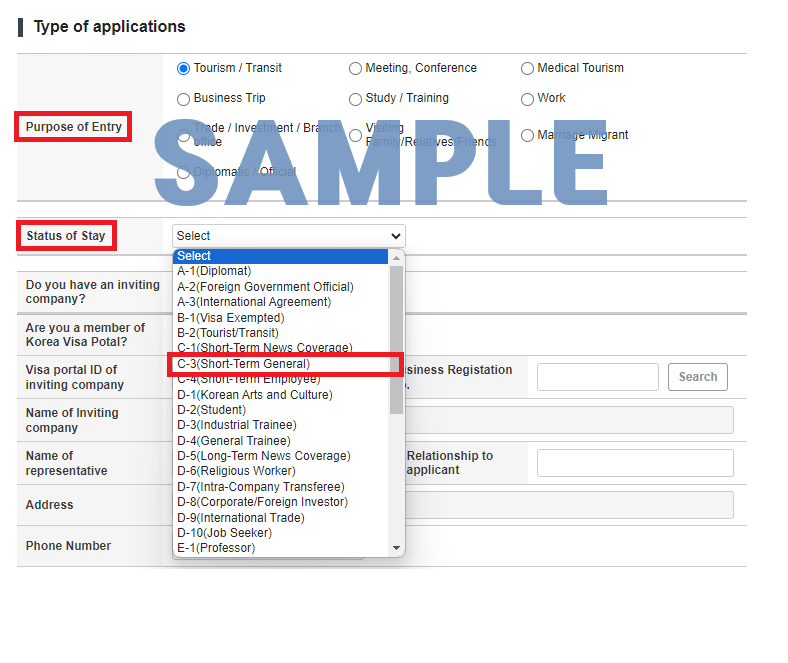
6. Choose your [Purpose of Entry] and *[Status of Stay]
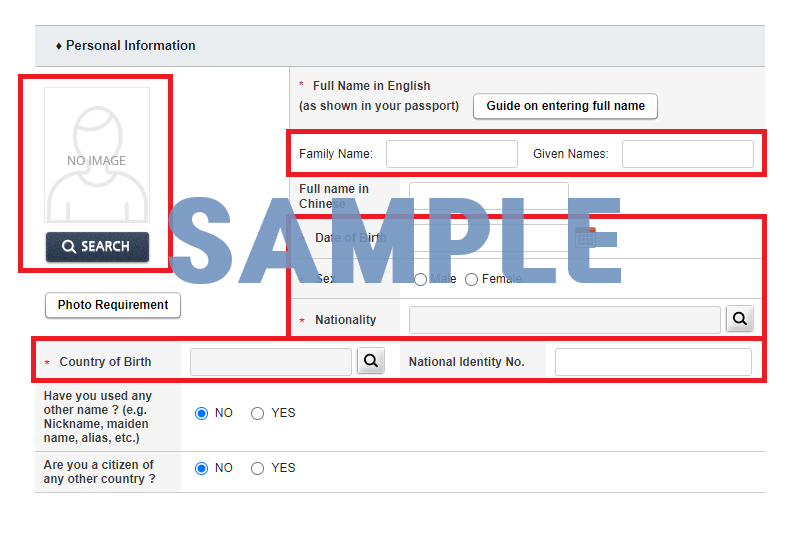
7. Fill out the visa application form and upload your photo (Not casual)
※ Please fill out your family name, given names and date of birth accurately
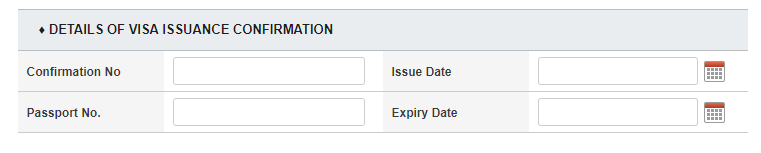
※ However, do not fill out the "Details of visa issuance confirmation", unless you are a 'Confirmation of Visa Issuance' holder
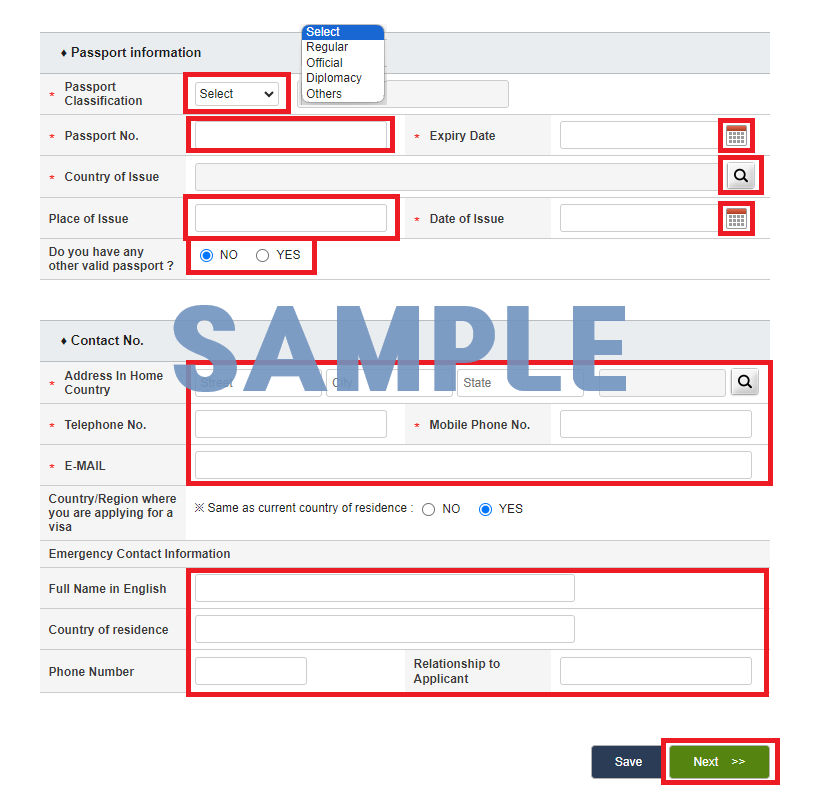
8. Fill in the blank by following the steps below and click [Next]
※ Please fill out your passport information accurately
9. Complete the form and click the [Complete the Form]
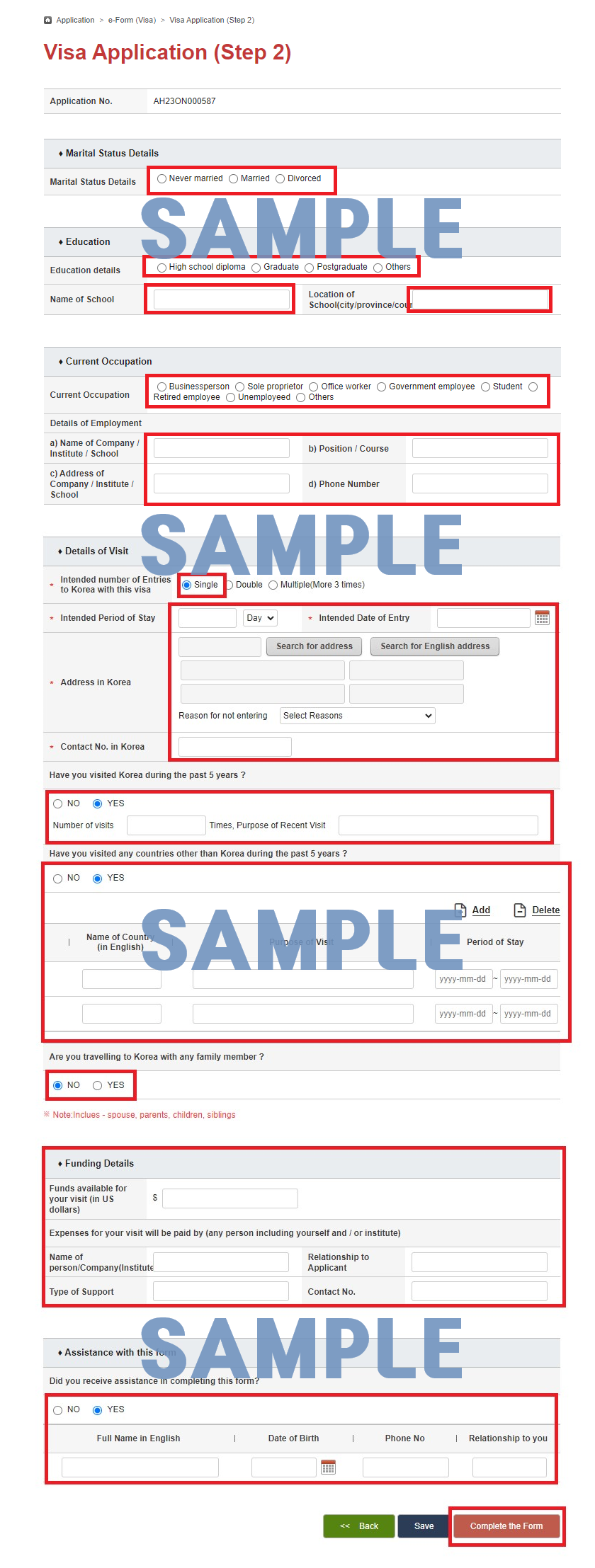
10. Open your visa application form, Print and write your name and signature by hand
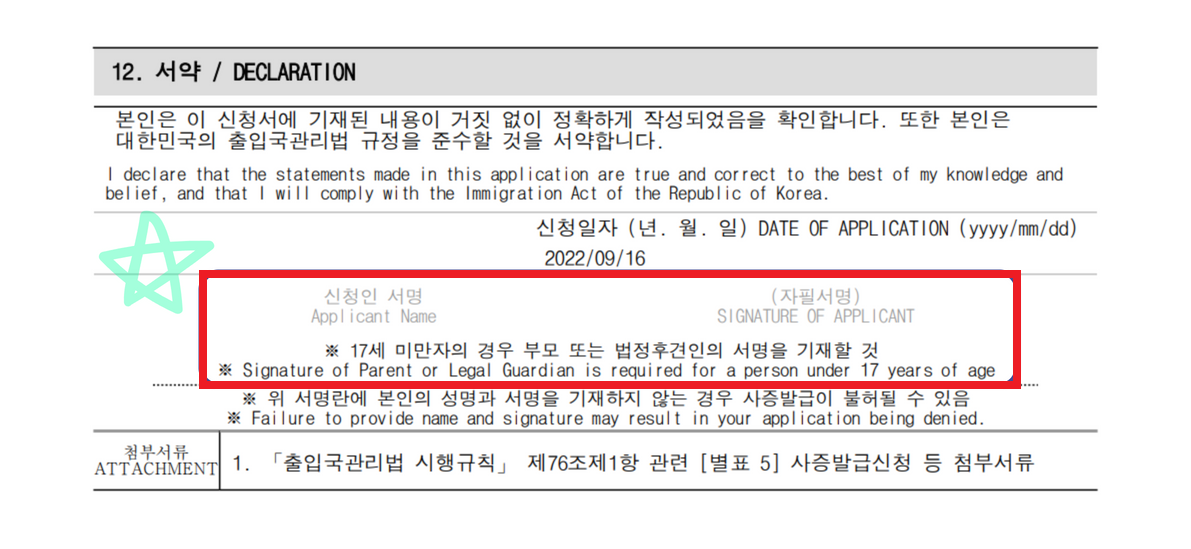
11. Submit printed visa application form, original passport and *required documents for each visa type to the Embassy
※ WE DO NOT ACCEPT VISA APPLICATION FORM AND OTHER DOCUMENTS VIA EMAIL ※
※ Please do not send visa-related attachments via e-mail before we request
※ Please double check before you submit the visa applicant form and documents to the Embassy, We do not correct your mistakes
※ Failure to submit all required documents may cause delay or denial of a visa
※ Providing false information or documents leads to revocation of a visa and permission to stay and may result in criminal punishments and an entry ban to the Republic of Korea

- Embaixada da República da Coreia na República de Moçambique
- Localização : Av. Marginal 141, Torres Rani 7 Andar, Maputo, Mozambique
- Tel : 21 495 625
Fax : 21 495 638
E-mail : embassy-mz@mofa.go.kr / consular-mz@mofa.go.kr (vistos)
Horário de Trabalho :8:30 – 12:00 , 12:30 – 16:30 (Segunda – Sexta)
Passport e Visto Seccão :09:00 A.M. – 12:00 P.M (segunda – sexta)


